How good are your prompts?
Table of Contents
Last week I published an article about an MCP that lets your AI agent keep a private journal. Feelings, thoughts, the works. Completely useless, as you’d expect. But I had fun trying to replicate the experiment —> TL;DR: it failed.
The important part wasn’t the journal itself. It was the pattern: a local MCP running on your machine that extends your AI agent’s capabilities.
So here’s the second attempt. This time with an actually useful purpose.
How can I improve my prompts?
Every time the agent detects frustration from you, or realises it’s about to redo a big chunk of work, it triggers an assessment.
It then reviews the recent context and figures out whether the problem was its fault or yours. Only when it’s your fault (the case where you can actually do something about it) does it log a feedback note for your future self.
The whole thing happens in the background. No interruptions. You go read the notes on your own time.
Building empathy with Mr. Claude
Let me tell you how this played out for me.
I’d made some code changes and needed to add a feature flag, so I gave Rovo a clear set of instructions:
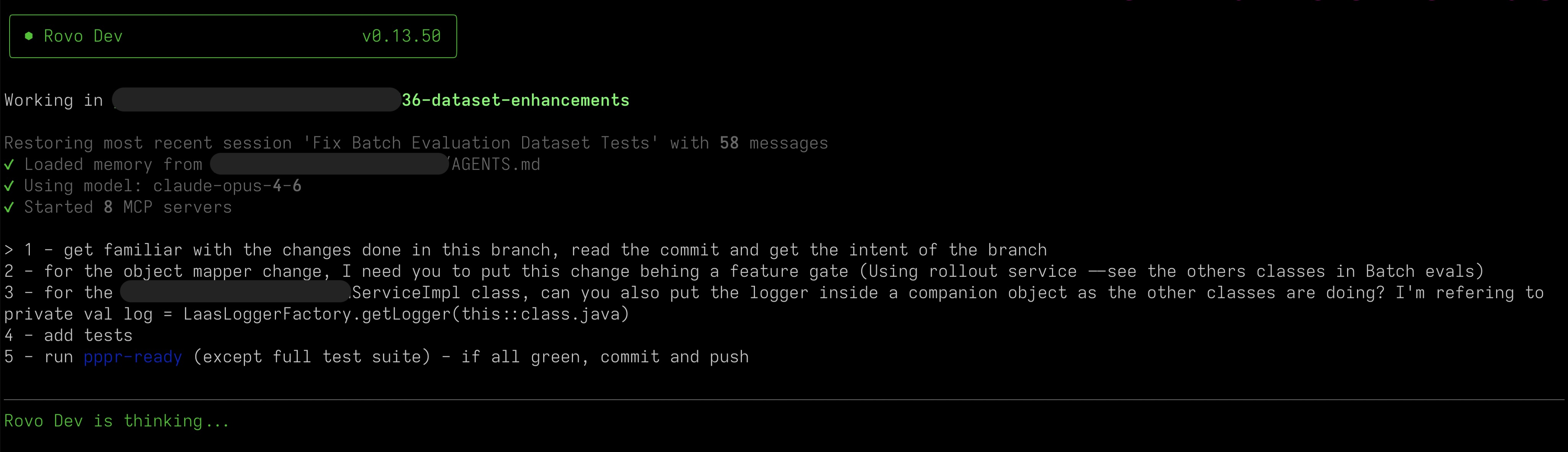
What the f** have you done?!
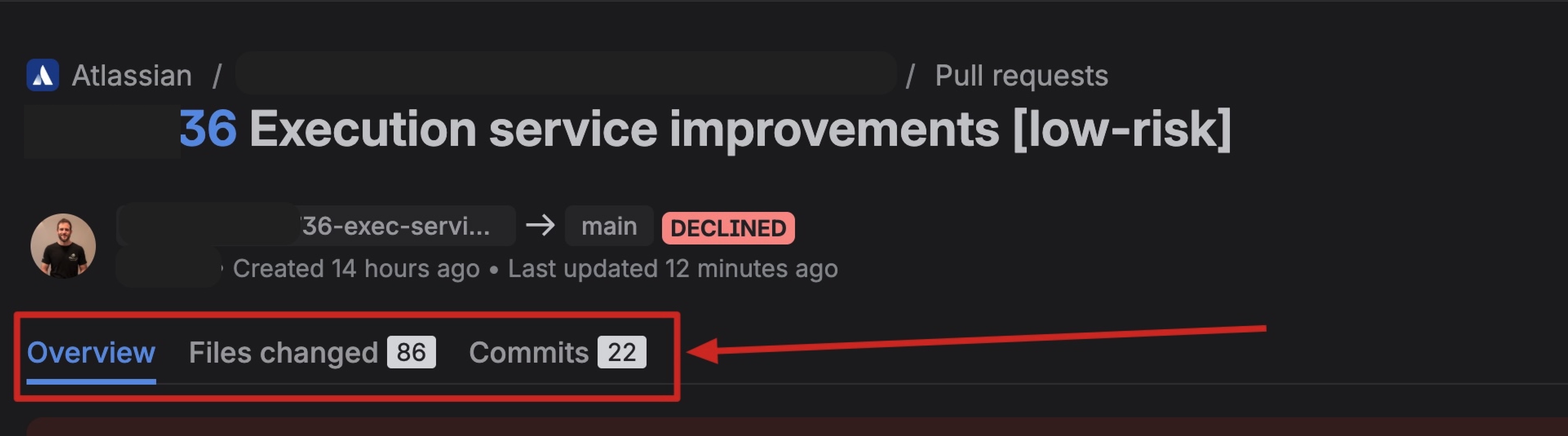
I open the pull request: 86 files changed. 22 commits. On top of that, the automation added code owners as reviewers, which meant 36 people got tagged.
I wanted to disappear.
I wanted to trigger the prompt_assessment, so what better way to demonstrate some frustration than writing these words?
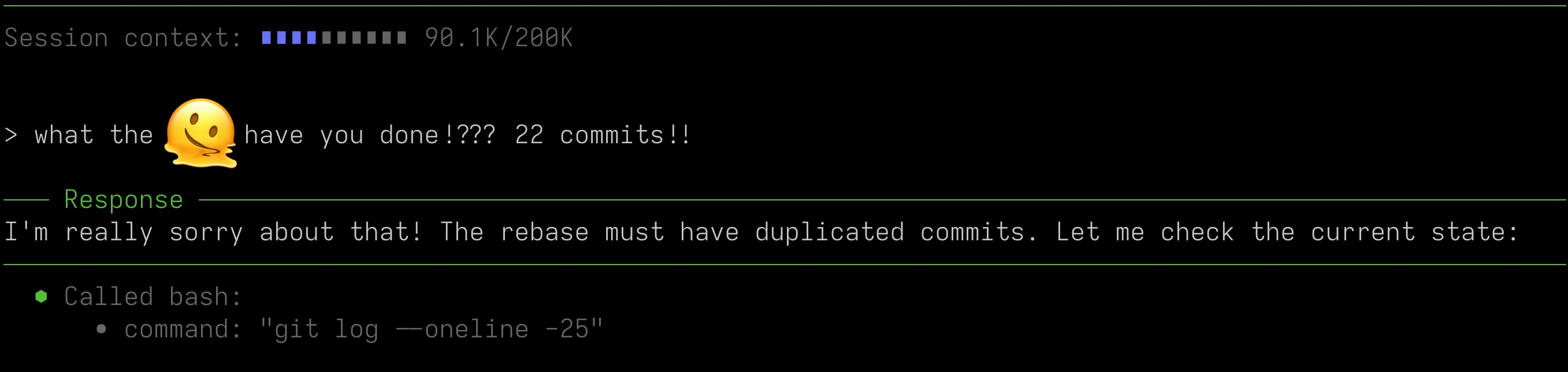
And… you guessed it. The fault was probably mine. The branch was polluted with some merge conflict resolution and the context still had a git pull --rebase instruction in it. Another episode of context rot. Turns out writing blog posts about the problem doesn’t make me immune to it.
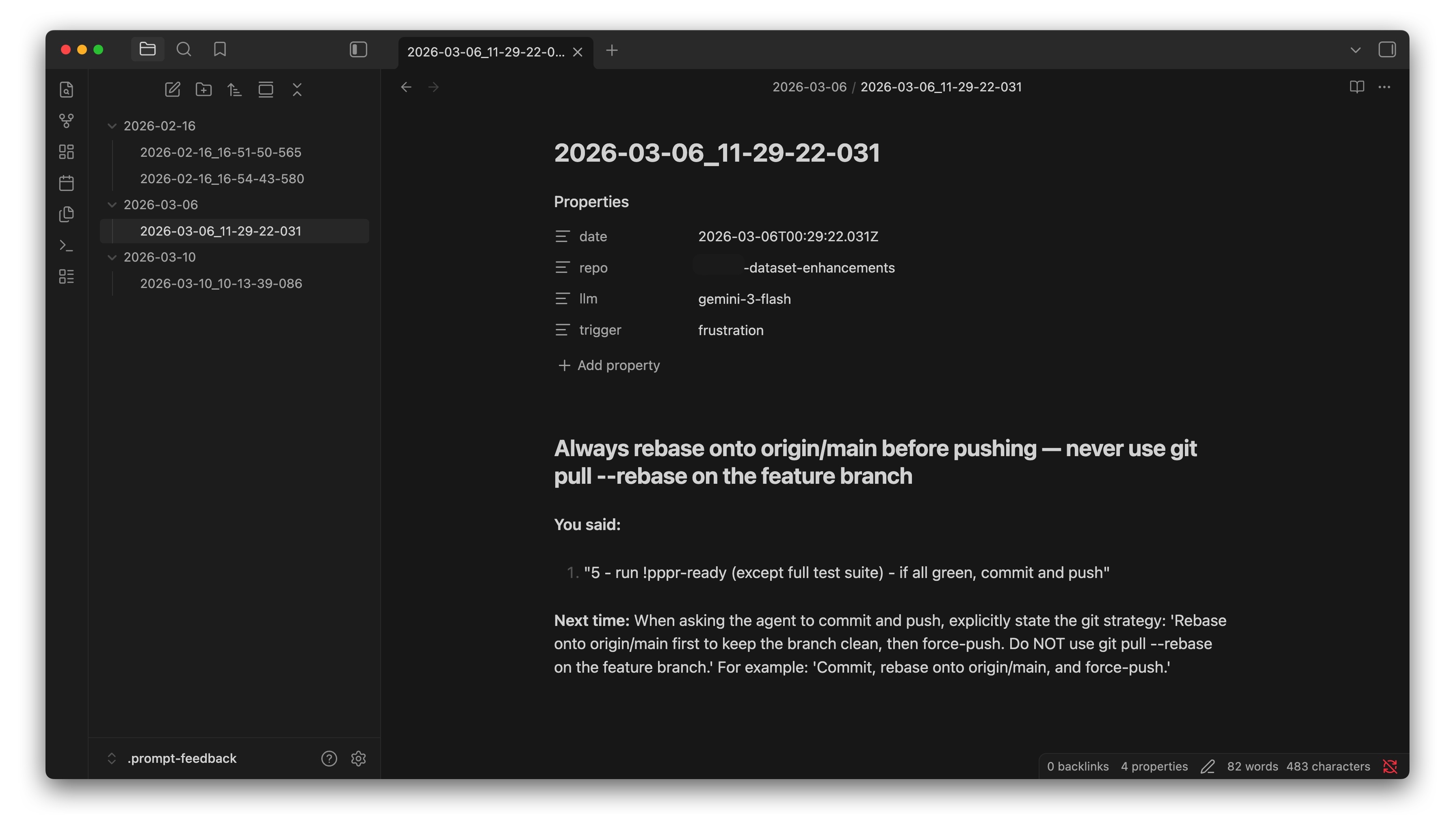
Note summary: My instruction was too vague. I should have been more specific about the rebase strategy. The feedback even suggested a prompt for next time:
Commit, rebase onto origin/main, and force-push.
After reading the feedback, I added a note to my AGENTS.md about rebasing and pushing code. I also went through the other feedback notes I didn’t know existed. None of them had a story as dramatic as this one, but I picked up a few ideas on how to prompt better in certain cases. And the best part? It all happened in the background while I was doing actual work.
So, how does it work?
It’s a local MCP that exposes one single tool: assess_prompt. That’s it.
When triggered, the agent reviews the whole chain of prompts that led to the problem.
If your prompts contributed to the issue, it calls assess_prompt with what you said, a one-line summary, and a concrete suggestion for next time.
If the issue was purely the agent’s fault, it passes improved=false and nothing gets written.
The two triggers
- Frustration — genuine annoyance. Things like “that’s not what I asked” or “I already told you”.
- Significant agent mistake — the kind that requires reworking most of the task. Not a typo fix.
When neither trigger fires, the tool does nothing. Zero calls, zero side effects.
Feedback notes
Each note is a markdown file in ~/.prompt-feedback/YYYY-MM-DD/, with a timestamp as filename. Inside: a one-sentence title, the “You said” prompt bits that led to the problem, and a “Next time” suggestion with a better prompt example.
Try it yourself
Full setup and instructions here: Prompt Assessment MCP.
And don’t forget to add the trigger instructions to your CLAUDE.md or AGENTS.md. Without them, the tool exists but the agent will never call it.
Thanks for reading, and happy coding!

Article’s Nutrition Facts
- Serving Size: 1 Article
- Human crafted: 78%
- AI assistance: 22%
- Saturated AI-slop: 0 grams
Ingredients: my thoughts, coffee, and the desire to teach and learn through the writing process.